Author: Shannon Johnson

  • Why Is My GoFo Tracking Not Updating? 9 Causes & Fixes

    Why Is My GoFo Tracking Not Updating? 9 Causes & Fixes

    Few things are more frustrating than a tracking page that refuses to change — the status sits exactly where it was, no matter how often you refresh. If your GoFo tracking is not updating, most stalls have boring, fixable explanations — only a few signal a real problem.

    Below are the nine most common reasons for GoFo tracking not updating, how to recognize each, and exactly what to do. Work through them in order — the first few resolve most cases.

    1. The Label Was Created, but GoFo Doesn’t Have the Parcel Yet

    How to spot it: your tracking shows “Label Created” or “Data Received” and nothing else.

    This is the number one cause of a frozen tracking page. Sellers often generate the label the moment you order so they can send a tracking number immediately — but the physical package may still be sitting in their warehouse. Until GoFo physically scans the parcel, there is nothing new to report.

    What to do: wait 48 hours from the label date. If there is still no “Picked Up” scan, message the seller and ask when the parcel actually shipped — the delay is almost always on their side.

    2. You Checked Too Soon After the First Scan

    How to spot it: one scan exists (“Picked Up” or “Arrived at Facility”), then silence for 24 to 48 hours.

    The first scan can take up to two days to appear, and the gap to the next checkpoint is often the journey’s longest quiet stretch. The parcel is moving; the scans just have not caught up.

    What to do: give it a full 48 hours. Check once or twice a day rather than hourly — the status will jump when the next hub scan lands.

    3. Normal Scan Gaps Between Facilities

    How to spot it: the status reads “In Transit” or “Departed Facility” with no update for 2 to 4 days.

    GoFo scans parcels at checkpoints — hubs, sorting centers, delivery stations — not continuously. A package moving between two facilities generates no scans in between. Extended “In Transit” silence is one of the most misunderstood forms of GoFo tracking not updating; the parcel is usually moving fine.

    What to do: nothing, for now. If the gap stretches past 5 business days on a domestic shipment, it is time to contact the seller. Our GoFo package tracking guide shows what a normal checkpoint rhythm looks like.

    4. Weekends and Holidays Pause the Clock

    How to spot it: tracking froze on a Friday or the day before a public holiday.

    Hubs run reduced operations on weekends and holidays — a parcel arriving Friday evening may not move until Monday, with no scans in between.

    What to do: count only business days. A “3-day stall” over a long weekend is really a 1-day stall — check again Tuesday morning before acting.

    5. The Parcel Is Stuck in Customs (Cross-Border Orders)

    How to spot it: you ordered from an overseas seller, the tracking went quiet after the export scan, and days pass with no U.S. activity.

    Cross-border (CBT) shipments pass through export processing, an international flight, import processing, and customs clearance before GoFo ever touches the parcel — a routine process that adds days to weeks of silence. During this window GoFo’s tracking shows nothing, since the parcel is not in its network yet.

    What to do: allow 7–14 days for customs. If silence stretches beyond three weeks, ask the seller to confirm the shipment cleared export. Our GoFo CBT tracking page explains where your parcel sits in that pipeline.

    6. You Entered the Wrong Number — or the Order Number

    How to spot it: the tracking page shows “no results,” an error, or details for a different shipment.

    Two easy mistakes cause this: a typo (one wrong character is enough), or pasting the retailer’s order number instead of the tracking number — the order number will never return tracking results.

    What to do: copy the number directly from your shipping confirmation email — do not retype it. Verify it starts with a GoFo-style prefix (GFUS or GFO) and has no spaces. If you are unsure which number is which, our GoFo tracking number guide shows exactly where the real one lives.

    7. A Carrier Handoff Created a Blind Spot

    How to spot it: tracking stopped updating right after an “Arrived” scan, or the parcel was supposed to transfer between carriers — an overseas partner handing off to GoFo, or GoFo handing off to USPS for rural delivery.

    When one carrier hands a parcel to another, there is often a gap before the receiving carrier’s first scan appears — and the tracking number itself sometimes changes at handoff.

    What to do: ask the seller whether a handoff or second tracking number is involved. Try the original number on the GoFo Tracking tool and check the seller’s order page for an updated one. See GoFo shipping tracking for more on handoffs.

    8. A Delivery Exception With No Clear Note

    How to spot it: the status says “Delivery Exception” or “Delivery Attempted” with no useful detail, and no new scan follows.

    Exceptions happen for address problems, gated access, or missed attempts. The note is sometimes vague, and the parcel sits without further scans while the issue waits — unlike scan gaps, exceptions do not fix themselves.

    What to do: act quickly. Verify your delivery address, then ask the seller — GoFo’s actual customer — what the exception was and what is needed: a corrected address, a pickup, or a redelivery. Do not let it sit more than 3 days.

    9. It Shows “Delivered,” but You Don’t Have It

    How to spot it: tracking updated to “Delivered,” yet no parcel is at your door.

    In most cases the parcel was left at a side door, garage, mailroom, leasing office, or with a neighbor — or the driver scanned it a stop early and it arrives within 24 hours.

    What to do: wait 24 hours, then search every plausible drop spot and ask household members and neighbors. Check any attached delivery photo. After 48 hours with no parcel, report it to the seller and request an investigation or replacement.

    GoFo Tracking Not Updating? When to Worry: A Simple Timeline

    Not every case of GoFo tracking not updating deserves action. Use this timeline to calibrate:

    • Day 1–2 of no updates: completely normal. Scan gaps, weekends, and first-scan delays all live here. Check once a day.
    • Day 3–5: usually fine domestically, normal for cross-border orders. Verify the tracking number and count business days only.
    • Day 7+: time to act on domestic shipments: contact the seller, ask for an investigation, and confirm the parcel shipped.
    • Day 15–20 with no movement: escalate firmly: request a reshipment or refund. If the seller refuses, open a dispute with your payment provider — know their deadline (many are 30–60 days from purchase).
    • Cross-border orders: shift everything about two weeks later. Start worrying at day 21+, escalate at day 30+.

    For a full walkthrough of GoFo’s network and how its tracking operates, our GoFo Express tracking guide is a useful companion.

    GoFo Tracking Not Updating: Your Action Checklist

    Run through this list whenever you notice GoFo tracking not updating:

    1. Copy-paste the tracking number fresh from your shipping email (no retyping, no spaces).
    2. Confirm it is the tracking number, not the order number.
    3. Count only business days since the last scan.
    4. Read the newest scan’s wording — “In Transit” and “Departed Facility” routinely sit quiet for days.
    5. If the last scan is older than 7 business days (domestic) or 21 days (cross-border), message the seller.
    6. Ask the seller to confirm shipment, check for a handoff or second tracking number, and open a carrier investigation.
    7. If the seller will not help, request a refund — then use your payment provider’s dispute process before its deadline.
    8. Recheck your status anytime with the free GoFo Tracking tool — no account needed.

    Frequently Asked Questions

    Common questions about GoFo tracking not updating, answered:

    How long should I wait before worrying about GoFo tracking not updating?

    For domestic shipments, 7 business days without a new scan is the point to contact the seller. For cross-border orders, allow up to 21 days for customs and international legs. Anything under 48 hours is almost always normal.

    Why does my GoFo tracking say “Label Created” for days?

    The seller generated the label but has not handed the parcel to the carrier yet — the most common stall of all. Wait 48 hours, then ask the seller when the package actually shipped.

    Can a GoFo package be moving with no tracking updates?

    Yes. Parcels are scanned at checkpoints, not continuously — a package between facilities or sitting over a weekend generates no scans while moving normally.

    What should I do if my GoFo tracking number shows no results at all?

    Verify you pasted the tracking number, not the order number, and check for typos. Then wait 24–48 hours for the first scan to appear. If it still shows nothing, ask the seller to confirm the number.

    Who do I contact when my GoFo tracking is stuck?

    Always start with the seller — the carrier’s customer, who can open an investigation or reship far faster than you can alone. Only escalate to GoFo support if the seller is unresponsive.

    Is it normal for GoFo tracking to stop updating around customs?

    Yes — cross-border shipments often go quiet for one to two weeks around customs clearance and the carrier handoff. Tracking resumes once GoFo scans the parcel stateside. Past three weeks of silence, ask the seller to investigate.

    Final Thoughts

    GoFo tracking not updating is stressful, but the odds are in your favor: label delays, scan gaps, weekends, and customs explain nearly every stall. Work the checklist, respect the timeline, and escalate through the seller when needed. For a fresh read anytime, paste your number into the GoFo Tracking tool — free and instant.
  • GoFo Tracking Number: Format Guide, Finder & Troubleshooting

    GoFo Tracking Number: Format Guide, Finder & Troubleshooting

    Your GoFo tracking number is the single key that unlocks everything about your shipment — every scan, every facility, every status update. Without it, you’re guessing; with it, you can follow your parcel from the seller’s warehouse to your doorstep. Yet tracking numbers cause more confusion than almost any other part of online shipping: strange letter prefixes, different lengths, numbers that look valid but return nothing.

    This guide decodes every format, shows you exactly where to find your number, clears up the classic mix-up with order numbers, and gives you a step-by-step checklist for when the tracker says “invalid” or “not found.”

    How a GoFo Tracking Number Works

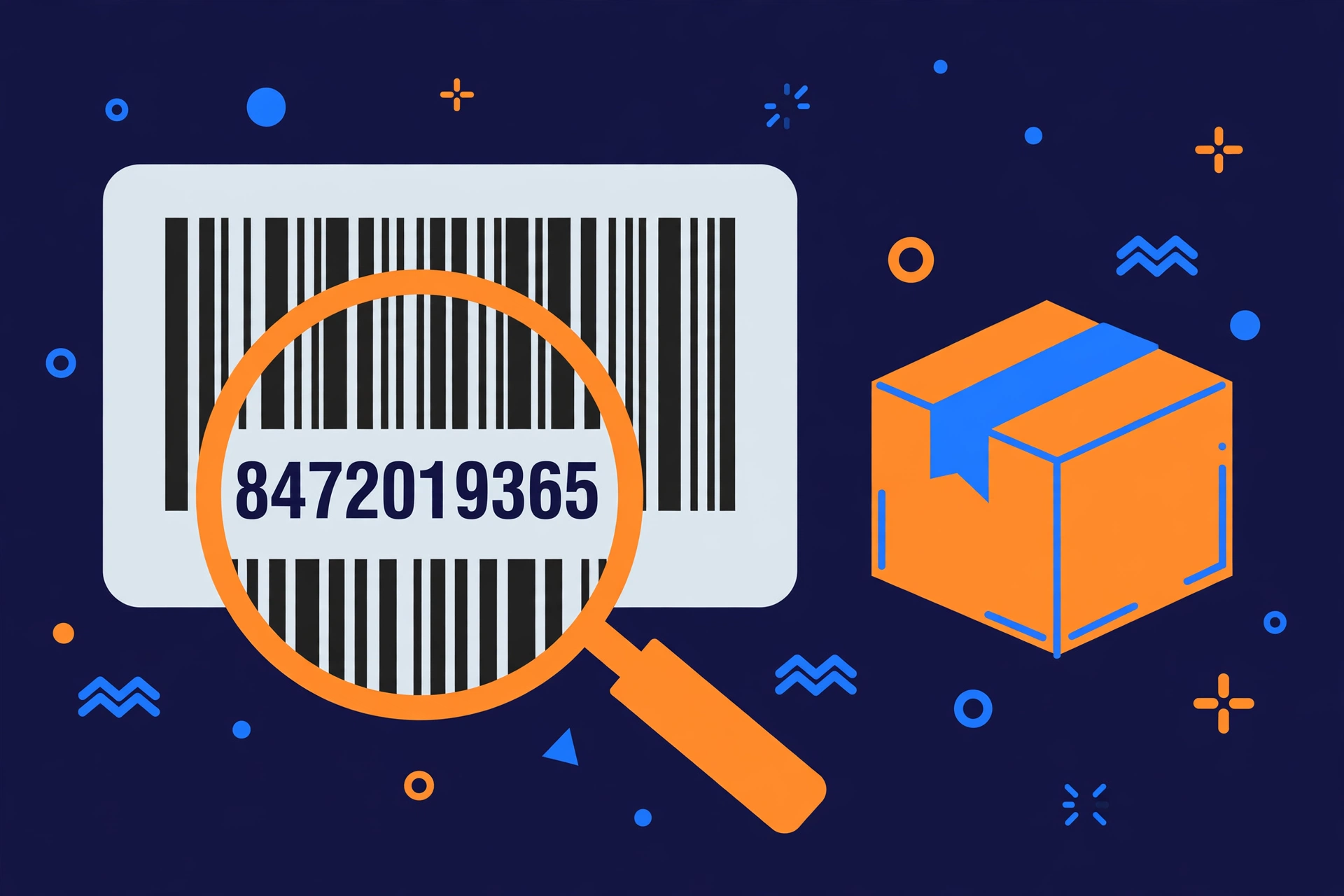
    That number is a unique identifier assigned to your parcel when the shipping label is created. Printed as a barcode on the label and stored in GoFo’s system, it collects a timestamped scan at every handoff — pickup, sorting hubs, delivery stations, the truck.

    Think of it as your parcel’s personal ID badge: the leading letters identify the carrier and often the origin country, while the digits identify your parcel among millions. Enter it in a tracker and the system pulls every scan into a timeline. That’s why one wrong character breaks the lookup — the system searches for an exact match, not a close one.

    Numbers stay searchable for roughly 90 to 120 days after delivery; after that, carriers archive the data. Looking up an old shipment? Check it sooner rather than later.

    Every GoFo Tracking Number Format, Decoded

    GoFo uses several number formats depending on the origin country and shipping channel. Here is what each prefix means:

    PrefixRegion / UseTypical Length
    GFOGeneral GoFo prefix, used across regions14–18 characters
    GFUSUnited States domestic shipments14–18 characters
    CIUSUnited States, consolidated shipments14–18 characters
    GFFRFrance14–18 characters
    GFNLNetherlands14–18 characters
    GFITItaly14–18 characters
    GFESSpain14–18 characters
    YWE / YLGEConsolidated cross-border channel numbers16–20 characters
    CBTCross-border tracking, ends in a country code (e.g., CN)13 characters

    “GF” identifies GoFo itself; the following letters name the origin network (“US,” “FR,” and so on), and the long digit string is your parcel’s unique identifier within that network.

    Format examples (illustrative only — not real tracking numbers):

    • Standard US format: GFUS followed by a 14-digit sequence, e.g., GFUS + 14 digits
    • European format: GFFR, GFNL, GFIT, or GFES followed by a digit sequence, e.g., GFFR + 14 digits
    • Cross-border (CBT) format: 13 characters ending in a two-letter country code, e.g., 10 digits + country code
    • Consolidated format: YWE or YLGE followed by a 16–20 character sequence

    The prefix also hints at what to expect: GFUS means a straightforward domestic journey, while a CBT or YWE number signals a cross-border shipment — longer, quieter, and explained in our GoFo CBT tracking guide.

    How Long Should Your Number Be?

    Length is a quick sanity check that your number is complete:

    • Standard formats (GFO, GFUS, CIUS, GFFR, GFNL, GFIT, GFES): 14 to 18 characters total, letters plus digits.
    • CBT cross-border numbers: exactly 13 characters.
    • Consolidated numbers (YWE, YLGE): 16 to 20 characters.

    If your GoFo tracking number is noticeably shorter — say, 8 or 10 characters — you probably copied an order number or partial reference. Count the characters before blaming the tracker; an incomplete number is one of the most common lookup failures.

    Where to Find Your GoFo Tracking Number

    Your tracking number reaches you through the seller, not from GoFo directly. Check these places in order:

    1. Order confirmation email. Search your inbox for “GoFo,” “tracking,” or “shipped” — the number usually sits near a “Track your order” button. Check spam and promotions folders too.
    2. The store’s order page. Log into the retailer’s site, open your order history, and look for the shipping section — the tracking number is listed there once the label is created.
    3. SMS or messaging apps. Many sellers text the tracking number when the parcel ships. Search your messages for “GoFo” or “tracking.”
    4. The shipping label itself. If someone else received the parcel or you have a photo of the box, the tracking number is printed beneath the barcode on the label.
    5. Ask the seller. Checked everywhere? Message the seller directly — they created the label, so they have the number.

    The moment you receive your number, paste it into the GoFo Tracking tool to confirm it works. Catching a typo on day one beats discovering it a week later.

    Tracking Number GoFo vs. Order Number: Don’t Mix Them Up

    This is the single most common tracking mistake. Your order number is the store’s internal reference for your purchase — something like #48291 or ORD-2026-7741. Your tracking number is the carrier’s identifier for the physical parcel — a letter-prefixed code like the formats above. They are completely different numbers that live in completely different systems.

    The tracking number GoFo gave you always starts with letters (GFO, GFUS, CIUS, a country prefix, YWE, or similar) and is much longer than a typical order number. If what you’re pasting into the tracker is short, purely numeric, or contains the store’s name, it’s almost certainly the order number — and no carrier tracker on earth will recognize it.

    Sellers often display the order number more prominently, and confirmation emails bury tracking details below the fold. When in doubt, compare against the format table above: no GoFo prefix and wrong length means keep looking.

    When the Tracker Says “Invalid” or “Not Found”

    Work through this checklist in order — it resolves the vast majority of GoFo tracking number lookup failures:

    1. Remove spaces. Copy-paste often grabs stray spaces — the number must be one continuous string.
    2. Verify the prefix. Make sure you copied the full prefix — “GFUS” not “FUS,” “GFFR” not “FFR.” A clipped prefix is a different (nonexistent) number.
    3. Confirm it’s the tracking number. Re-check the format table — short numeric codes belong to the store, not the carrier.
    4. Check the character count. Standard numbers run 14–18 characters, CBT numbers exactly 13, consolidated 16–20. A short number is incomplete.
    5. Wait for activation. New labels can take 6–24 hours (sometimes 48) before the first scan appears. “Not found” on a morning label is usually just impatience.
    6. Match the number to the right tracker. CBT and consolidated numbers sometimes need a tracker supporting those channels — try the GoFo Tracking tool first, or see our GoFo CBT tracking guide.
    7. Try the official carrier page. As a cross-check, the tracking number GoFo issued should also work on GoFo’s own tracking channels.
    8. Contact the seller. If the number is complete, correctly formatted, 48+ hours old, and still unrecognized, the seller may have given you a wrong number — ask them to verify it.

    If the number is valid but scans have stopped moving, that’s a different problem — see GoFo tracking not updating for what stalled scans mean.

    Frequently Asked Questions

    What does the number look like?

    A letter prefix (GFO, GFUS, CIUS, GFFR, GFNL, GFIT, GFES, YWE, YLGE) followed by a long digit sequence — e.g., GFUS plus 14 digits. CBT cross-border numbers are 13 characters ending in a country code.

    How many characters long is it?

    Standard: 14–18 characters total. CBT: exactly 13. Consolidated YWE/YLGE: 16–20. Anything much shorter is probably an order number.

    Can I track a GoFo package with just the order number?

    No — carrier systems only recognize tracking numbers. Find yours in your confirmation email, the store’s order page, or a shipping SMS; if it’s nowhere, ask the seller.

    Why is my tracking number GoFo not recognizing?

    Usually stray spaces, a clipped prefix, order-number confusion, or checking too soon after label creation. Work through the checklist above — especially the 6–48 hour activation window — before assuming the number is wrong.

    Does the tracking data expire?

    The number doesn’t expire, but tracking data typically stays searchable only 90–120 days after delivery before carriers archive it. Screenshot the history while it’s available.

    Can two packages share the same number?

    No — each number is unique to one parcel. If two orders show the same number, the seller likely reused a label or made an error; contact them.

    The Bottom Line

    It looks cryptic, but it’s simple: a prefix naming the carrier and origin, plus a unique digit string for your parcel. Match your number to the formats above, grab it from the right place, don’t confuse it with your order number, and run the checklist before declaring it broken.

    Have your number ready? Paste it into the GoFo Tracking tool and see exactly where your parcel is. For the full label-to-doorstep journey, our GoFo shipping tracking guide walks you through every stage.

  • GoFo Shipping Tracking: Follow Your Shipment at Every Stage

    GoFo Shipping Tracking: Follow Your Shipment at Every Stage

    The moment you finish checking out, the waiting begins. GoFo shipping tracking is how you turn that wait into something you can actually watch — it follows your parcel from the shipping label to your doorstep, scan by scan. But reading a tracking page with confidence takes more than pasting in a number. You need to know what each stage means, how long each one normally lasts, and when a quiet tracking page is perfectly normal versus a genuine problem.

    This guide covers every stage, typical timeframes, service types, seller order tracking vs. carrier tracking, international legs, and delays — so you can read any result like a pro.

    How GoFo Shipping Tracking Works

    GoFo Express is a last-mile carrier moving e-commerce parcels across the United States and several other countries. Every parcel carries a barcode tied to a unique tracking number, and each scan — at pickup, sorting hubs, delivery stations, on the truck, at your door — is logged with a timestamp and location.

    GoFo shipping tracking is simply the window into that scan history. Enter your number in the GoFo Tracking tool and you’ll see those scans newest-first, plus a plain-English status like “In Transit.” The system only reports where your parcel was last scanned — it never guesses. That distinction matters: most tracking anxiety lives in the gaps between scans, and most of those gaps are completely normal.

    No tracking number yet? Our GoFo tracking number guide shows exactly where to find it.

    The GoFo Shipping Tracking Timeline: Stage by Stage

    Every GoFo shipment passes through the same stages. Here’s what each means and how long it usually takes:


    1. Label Created (0–2 days). The seller generated a shipping label and shared your tracking number, but GoFo doesn’t physically have the parcel yet. A day or two here is normal — the seller still needs to pack and hand it over.


    2. Picked Up. GoFo collected your parcel and logged the first physical scan — your shipment is officially in the network, and the timeline starts filling in reliably.


    3. Arrived at Regional Hub — Sorting (1–2 days). Your parcel reaches a major sorting center, where automated systems route it toward the hub nearest your address. This step can stretch longer during busy periods.


    4. In Transit to Delivery Station (1–2 days). The parcel moves from the regional hub to the local delivery station serving your area. Tracking often goes quiet here for a day — there are no scans while a truck is on the road.


    5. Arrived at Delivery Station. Your parcel reached the final facility — the local station whose drivers cover your neighborhood. Delivery is close.


    6. Out for Delivery (same day). A driver has your parcel on the delivery vehicle. Most arrive within a few hours of this scan, though a busy route can push delivery into the evening.


    7. Delivered. The parcel reached your address. A delivery exception instead means something interrupted the route — check the status note for details.


    All told: the standard GoFo domestic window is roughly 2 to 7 business days from the moment GoFo physically receives the parcel — the clock starts at pickup, not at checkout or label creation.

    GoFo Service Types and What They Mean for Delivery Speed

    The seller chooses a service tier when creating the label, and that choice sets your delivery expectations:

    • GoFo Parcel. The standard option for lightweight e-commerce orders (usually up to ~20 lbs), delivering in 1 to 5 business days once in the GoFo network. Most online orders ship this way.
    • GoFo Economy. A budget-friendly tier for less time-sensitive items: roughly 2 to 7 business days. Unhurried tracking often just means Economy.
    • GoFo Ground. For heavier shipments traveling by ground transport (up to ~150 lbs). Typical delivery: 2 to 8 business days.
    • Cross-border services. For overseas orders: GoFo handles the final domestic leg after export processing and customs clearance. The international leg adds days or weeks before the timeline above begins.

    Your tracking page won’t always name the tier, but the scan pace usually reveals it — a slow parcel is often just Economy or cross-border behaving as designed.

    Shipping Tracking vs. Your Seller’s Order Tracking

    Your seller’s order tracking shows fulfillment: order received, item packed, label printed, parcel handed to the carrier. It answers “what is the store doing with my order?”

    The tracking on this site shows physical movement: where the parcel was scanned, which facility holds it, and when it’s out for delivery. It answers “where is my parcel right now?”

    The handoff between the two is the “Label Created” stage. Your seller’s page may say “shipped” the instant the label prints, while the carrier’s own scans honestly show the parcel hasn’t been picked up yet. When the two disagree, trust the carrier’s scans for location — and contact the seller about fulfillment delays. For more on following a single parcel end to end, see our GoFo package tracking guide.

    International Shipping Legs, Customs, and the Quiet Periods

    Cross-border shipments have a stretch where tracking goes silent for days — and it surprises almost everyone the first time. Your parcel travels an international leg — export processing, the journey itself, then import customs clearance — before GoFo’s domestic network ever scans it.

    During that leg, tracking may show “Label Created” or nothing at all, because no GoFo facility has touched the parcel yet. Customs clearance alone can add several days without generating visible scans. Only after the parcel clears customs does the familiar stage-by-stage timeline begin.

    A country prefix or consolidated-style number signals a cross-border shipment — see our GoFo CBT tracking guide for those longer timelines.

    Common GoFo Shipping Delays and What Causes Them

    Most delays fall into a few familiar buckets — run through this list before worrying:

    • Label created, no pickup. The seller printed the label but hasn’t handed the parcel to GoFo — a seller delay, not a carrier delay. Contact the store after 48 hours.
    • Hub congestion. During sales events and holidays, hubs process far above normal volume. An extra day or two is routine in peak season.
    • Address problems. A missing apartment number or a typo can bounce a parcel into exception status. Double-check the address on your order confirmation.
    • Weather and disruptions. Storms, road closures, and regional disruptions pause entire delivery routes. Tracking usually resumes on its own once conditions clear.
    • Customs holds. International parcels can be held for inspection or missing documentation — outside GoFo’s control, resolved on the customs authority’s timeline.
    • Failed delivery attempts. Gated communities, locked buildings, and signature-required items can trigger missed attempts — the status note will say what happened next.
    • Weekends and holidays. Business-day estimates skip weekends and holidays, so a “5-day” delivery spanning a long weekend takes longer on the calendar.

    If your tracking has stalled beyond what these explanations cover, our guide on GoFo tracking not updating walks through a full troubleshooting checklist.

    How to Get Proactive GoFo Shipping Updates

    Skip the hourly refreshing — a smarter routine keeps you informed without the stress:

    • Bookmark the tracker. Save the GoFo Tracking tool so checking takes one tap, and keep your tracking number in a notes app.
    • Check once or twice a day. Scans happen at facility handoffs, not continuously. Morning and evening checks catch every meaningful update.
    • Learn your thresholds. No scan 48 hours after label creation, or 3+ days stalled in transit? Contact the seller. Still “Out for Delivery” the next morning? Something went wrong on the route.
    • Turn on seller notifications. Many stores email or text you when the status changes — enable them at checkout.
    • Keep your order email. It holds your tracking number, the seller’s contact info, and shipping terms — everything needed for a claim.

    Frequently Asked Questions

    How long does GoFo shipping usually take?

    Expect 2 to 7 business days from the moment GoFo picks up the parcel — not from order day. Parcel averages 1–5 days in-network, Economy 2–7, Ground 2–8. Cross-border orders add an international leg and customs on top.

    Why has my tracking been stuck on “Label Created” for days?

    “Label Created” means the seller printed the label but GoFo hasn’t received the parcel yet — a seller-side delay and the most common early stall. Give it 48 hours, then ask the store when they handed the parcel to the carrier.

    Can I track my GoFo shipment without a tracking number?

    Not directly — the system needs the number to find your parcel. Check your confirmation email, the store’s order page, or shipping SMS. If it’s nowhere, ask the seller; only they can retrieve it.

    What does “In Transit” mean?

    Your parcel is moving between GoFo facilities toward your area — e.g., hub to delivery station. It’s an active, normal status; a scan-free day usually just means the parcel is on a truck between scans.

    Why did my international GoFo shipment stop updating?

    International parcels go through export processing, travel, and customs before GoFo’s network scans them — a leg that can take days or weeks with few visible updates. The regular scan timeline resumes after customs clearance.

    Who should I contact about a delayed GoFo shipment?

    Start with the seller — they’re GoFo’s customer, holding the shipping contract, so they can open inquiries and file claims you can’t. Contact GoFo directly only if the seller points you there or the tracking shows a specific exception with instructions.

    The Bottom Line

    GoFo shipping tracking gives you a scan-by-scan view of your parcel’s journey, from label creation to your doorstep. Most “problems” turn out to be normal scan gaps, seller-side delays, or the quiet international leg — and now you know each stage, the typical timeframes, and when to act.

    Ready to check your parcel? Enter your tracking number in the GoFo Tracking tool and see where your shipment stands.

  • GoFo Package Tracking: Follow Any GoFo Parcel From Label to Doorstep

    GoFo Package Tracking: Follow Any GoFo Parcel From Label to Doorstep

    Waiting on a delivery and refreshing your inbox every hour? GoFo package tracking lets you skip the guessing game. A few seconds with your tracking number tells you exactly where your parcel is and when it will arrive — whether it is coming from a big marketplace, a small store, or across the country.

    This guide covers tracking any GoFo parcel in three steps, explains every status message you might see, and answers the questions shoppers ask most — including what to do when tracking goes quiet. Keep your number nearby and track your GoFo package as you read.

    How to Track Any GoFo Package in 3 Steps

    You only need one thing to get started: your tracking number. Once you have it, gofo package tracking takes less than a minute:

    1. Enter your tracking number. Paste the full number — exactly as the seller sent it, no spaces — into the tracking box on the GoFo Tracking tool and press Track.
    2. Read the latest scan. The most recent event sits at the top and tells you where your parcel is right now.
    3. Check back once or twice a day. Scans update as your parcel moves through facilities — morning and evening is plenty.

    That is the whole process — no account or app needed. If you see “no information found” on your first try, wait a few hours: the first scan can take up to 24 hours to appear.

    Where to Find Your GoFo Tracking Number

    Before you can track anything, you need the number itself. GoFo tracking numbers usually start with prefixes like GFO or GFUS followed by a long string of digits. (Cross-border orders use a different 13-character format — see our GoFo CBT tracking guide if yours ends in a country code like CN.) Here are the most common places to find it:

    • Order confirmation email. Most sellers include it in the shipping confirmation email, usually under a “Track your order” link.
    • Marketplace order page. Open your order history and look for the shipment or tracking section.
    • SMS notification. Many sellers send the number by text when the parcel ships.
    • Shipping label or receipt. If someone shipped it to you in person, the number is on the label or mailing receipt.

    Copy the tracking number, not the order number — only the tracking number follows the parcel. See our GoFo tracking number guide for every format.

    Every Major GoFo Tracking Status, Explained

    Tracking statuses are short, but each one marks a real step in your parcel’s journey. Here is what they all mean:

    Label Created

    The seller generated a shipping label, but GoFo does not physically have the package yet — it may still be at the seller’s warehouse. Stuck here more than 2–3 days? The seller may not have shipped it.

    Picked Up

    GoFo (or a partner) collected your parcel — confirmation it is really moving.

    In Transit

    Your parcel is traveling between facilities. This is the most common status and can last several days — it is healthy even when unchanged for a while.

    Arrived at Facility / Arrived at Hub

    Your parcel reached a GoFo sorting facility or regional hub. It will be sorted and loaded onto the next vehicle — parcels usually leave within 24–48 hours.

    Out for Delivery

    Your parcel is on a delivery vehicle and should arrive today, usually within hours. Drivers may have dozens of stops, so it can be as late as evening.

    Delivered

    Your parcel was delivered. Check your doorstep, mailbox, leasing office, or a neighbor — and any delivery photo the carrier left.

    Delivery Exception

    Something interrupted delivery: a bad address, gated access the driver could not enter, severe weather, or nobody available for a signature item. Read the status note — it usually says what went wrong — then contact the seller or carrier.

    Returned to Sender

    The parcel is heading back to the seller, usually after repeated failed attempts or an undeliverable address. If this is a mistake, contact the seller immediately to arrange reshipping.

    How Often Should You Check Your Tracking?

    More often than you might think is unnecessary. Here is a sensible schedule:

    • Right after ordering: confirm the label was created and the number works.
    • During transit: once or twice a day is enough — scans happen at facilities, not continuously.
    • On delivery day: confirm “Out for Delivery” in the morning, then wait for the doorbell.

    Refreshing constantly will not speed anything up. Bookmark the tracking page and revisit daily — or see GoFo Express tracking for delivery times by service type.

    GoFo Package Tracking on Mobile

    The process works the same on your phone:

    • Open the GoFo Tracking tool in your mobile browser.
    • Paste your tracking number and press Track.
    • The timeline reads perfectly on small screens — newest scan on top, full history below.

    Tip: bookmark the tracking page or add it to your home screen while a parcel is in transit, so you can check the status in two taps.

    Tracking Multiple Packages at Once

    Ordered several items? Track each parcel separately and keep a simple list — a notes app works — with each tracking number and the store it came from. This is especially useful during holiday shopping, when parcels from different sellers are all moving at once. If one parcel’s tracking looks wrong while the others are fine, you will spot it immediately.

    What “No Information Found” Really Means

    Seeing “no information” or “tracking number not found” is stressful, but it almost always has a boring explanation:

    • The label was just created. The first scan can take 2–24 hours to reach the tracking system.
    • A typo. One missing digit or extra space returns nothing — copy and paste directly from the seller’s message.
    • You entered the order number. Order and tracking numbers look similar but are not interchangeable.
    • The seller printed the label but has not shipped. If “Label Created” never progresses after 3–4 days, ask whether the parcel left their warehouse.
    • It is a cross-border parcel. International shipments can take 24–72 hours to show a first scan — see our GoFo CBT tracking guide.

    If nothing works after 48 hours, contact the seller to confirm the number is correct.

    When to Contact the Seller vs. the Carrier

    Knowing who to call saves days of being bounced between support desks:

    Contact the seller when: tracking is stuck at “Label Created” for 3–4+ days; the tracking number does not work at all; the parcel shows “Delivered” but you never got it; or you want a refund or reshipment.

    Contact the carrier (GoFo) when: the status shows “Delivery Exception” and you need to fix an address; a parcel marked “Out for Delivery” never arrives; or you need to hold a parcel or change delivery instructions.

    Rule of thumb: problems with whether the parcel shipped belong to the seller; problems with the delivery itself belong to the carrier. For frozen shipments, see GoFo tracking not updating.

    GoFo Delivery-Time Expectations

    How long should the whole thing take? It depends on the service, but these are the typical ranges:

    • Domestic standard: 2–7 business days from the first carrier scan.
    • Domestic economy/ground: 3–10 business days.
    • Cross-border consolidated: 12–25 days door to door.
    • Holiday season: add 2–5 days to any of the above.

    The clock starts at the “Picked Up” scan — not when the label was created or you placed the order. A parcel sitting at “Label Created” for three days simply has not started moving yet.

    FAQs About GoFo Package Tracking

    How do I track my GoFo package?

    Copy your tracking number from your order confirmation email or order page, paste it into the GoFo Tracking tool, and press Track. The latest scan appears at the top and shows exactly where your parcel is.

    Where is my GoFo tracking number?

    Check your shipping confirmation email first, then your order history on the marketplace or store website. It may also arrive by SMS. Look for a code starting with GFO or GFUS.

    Why is my GoFo package tracking not updating?

    Usually a normal scan gap: parcels are scanned at facilities, not continuously, so “In Transit” can sit unchanged for 2–3 days. If nothing changes for 5+ days domestically, verify the number and contact the seller.

    How long does GoFo package delivery take?

    Domestic parcels typically arrive in 2–7 business days after the first carrier scan; cross-border consolidated parcels take 12–25 days. Add a few days during holiday peaks. The clock starts at the “Picked Up” scan.

    Can I track a GoFo package without a tracking number?

    Not directly — the tracking number is the only key to the parcel’s scan history. Log into the store or marketplace, open the order details, or ask the seller to resend it.

    What should I do if my package shows “Delivered” but I cannot find it?

    Check your doorstep, mailbox, side doors, mail office, and neighbors first. Many deliveries include a photo — look in the tracking details or your email. If it is truly missing, contact the seller within a day or two so they can investigate while the trail is fresh.

    Conclusion

    GoFo package tracking is simple: grab your tracking number, paste it into the tracker, read the latest scan, and check back once a day. Knowing the statuses turns an anxious wait into a predictable timeline — and knowing who to contact saves you from support-desk ping-pong.

    Ready? Track your GoFo package now — it takes less than a minute.

  • GoFo Express Tracking: The Complete 2026 Guide

    GoFo Express Tracking: The Complete 2026 Guide

    If you ordered something online and the shipping confirmation mentions GoFo Express, you are probably staring at a tracking number and wondering where your package actually is. GoFo Express tracking is how you follow that parcel from the seller’s warehouse to your doorstep — and once you understand how the system works, reading your tracking updates becomes straightforward.

    This guide covers what GoFo Express is, how its tracking works, what every status means, number formats, realistic delivery times, and what to do when something goes wrong.

    What Is GoFo Express?

    GoFo Express is a last-mile delivery carrier built for e-commerce. Rather than running its own nationwide long-haul network, GoFo specializes in the final leg of a parcel’s journey: receiving packages at regional hubs and delivering them to homes and businesses, mainly in U.S. metropolitan areas. It also handles cross-border e-commerce shipments — many GoFo parcels begin overseas with a partner carrier before GoFo takes over for U.S. delivery.

    You will rarely choose GoFo yourself — online stores and marketplaces select it for competitive lightweight-parcel rates, which is why it appears on orders from smaller retailers and marketplace sellers.

    GoFo Express Services at a Glance

    GoFo moves shipments through a few service tiers. Your tracking page does not always label which tier your parcel used, but the delivery speed usually gives it away:

    • GoFo Parcel — the standard tier for lightweight e-commerce items, and what most online orders ship as. Typically delivers within 1 to 5 business days once GoFo has the package.
    • GoFo Ground — for heavier shipments needing ground transport. Slower than Parcel, cheaper for bulky items.
    • GoFo Economy — a budget tier for less time-sensitive shipments; expect 2 to 7 business days.
    • Cross-border — covers the international leg of overseas-seller orders. Parcels travel with a partner through export and customs, then transfer to GoFo in the U.S. Total transit is longer because of the overseas leg.

    How GoFo Express Tracking Works

    GoFo Express tracking follows your parcel through a chain of scans. Each scan is logged at a checkpoint, with the newest shown at the top:

    1. Label created — the seller generates the label and your tracking number is born. GoFo does not have the parcel yet.
    2. Picked up — GoFo or a partner collects the package, and the first physical scan appears.
    3. Regional hub — the parcel is sorted by destination zone and departs toward your area.
    4. Delivery station — the last stop before a driver takes it. Your parcel is close now.
    5. Out for delivery — loaded onto a delivery vehicle; same-day arrival is the norm.
    6. Delivered — the drop is complete. Many drivers leave a photo as proof.

    For the fastest check, paste your number into the GoFo Tracking tool — it takes seconds and needs no account. For more on parcel-level tracking, see our GoFo package tracking page.

    GoFo Express Tracking Statuses Explained

    Tracking statuses sound technical, but each one describes a simple event. Here is what the common ones mean:

    • Label Created / Data Received — a label exists, but GoFo does not have the package yet; it may still be with the seller.
    • Picked Up — GoFo now physically has your package.
    • Arrived at Facility / Regional Hub — the parcel reached a sorting center. A normal, positive step.
    • Departed Facility — it left the sorting center, heading to your local delivery station.
    • Arrived at Delivery Station — the parcel is at the station serving your address. Delivery is near.
    • In Transit — moving between facilities toward your area; it can sit here a day or two on longer legs.
    • Out for Delivery — a driver has it on the route. Expect it the same day, sometimes as late as evening.
    • Delivered — done; check around your door, with neighbors, or your building’s mail area.
    • Delivery Exception — something interrupted the route: an address issue, a missed attempt, or gated access. Read the status note — it usually states the next step.
    • Returned to Sender — the parcel is heading back, usually after repeated failed attempts or an undeliverable address.

    If your status has not changed in a while, do not panic — scan gaps are common. Our guide on GoFo tracking not updating explains when a stall is normal and when to act.

    GoFo Express Delivery Timeframes

    How long does GoFo take? It depends on the service tier and where the parcel started:

    • Domestic GoFo Parcel: 1 to 5 business days from when GoFo receives the package.
    • GoFo Economy: 2 to 7 business days.
    • GoFo Ground: varies with distance; plan for up to about a week.
    • Cross-border orders: domestic times start only once GoFo takes over. The overseas leg — export, flight, import, customs — can add days to two weeks before the first GoFo scan.

    Note: the clock starts when GoFo receives the parcel, not when you order. A “Label Created” status lasting days usually means the seller is still preparing the shipment. More on timelines in our GoFo shipping tracking guide.

    GoFo Express Tracking Number Formats

    GoFo numbers follow recognizable patterns, which helps confirm you pasted the right one:

    • Standard domestic numbers commonly start with GFUS or GFO, followed by a long numeric sequence (often 14–18 characters total, e.g. GFUS01234567890123).
    • European numbers may use country-based prefixes such as GFFR, GFNL, GFIT, or GFES.
    • CIUS prefixes appear on certain consolidated shipments.
    • CBT (cross-border) numbers sometimes end in a country code like CN.

    Golden rule: paste the number exactly as the seller gave it — no added or removed spaces, no missing prefix. One wrong character returns no results. Our GoFo tracking number guide shows where to find it on order pages, emails, and labels.

    What to Do If Your Package Is Missing or Delayed

    When a GoFo delivery goes sideways, follow this order — it resolves most cases:

    1. Re-check the tracking. Confirm the number and read the newest scan — many “missing” parcels are simply at a delivery station.
    2. Contact the seller first. The seller is GoFo’s customer, not you. Retailers have direct carrier support channels and can investigate or reship faster than you can alone.
    3. Use GoFo’s official support. If the seller is unresponsive, the carrier’s site lists recipient support options. Keep your tracking number handy.
    4. Check common drop spots. For “Delivered” parcels you cannot find, look at side doors, garages, mailrooms, and with neighbors before escalating.
    5. Know your deadlines. If a parcel stalls beyond 15–20 days, ask the seller for a refund or replacement, and know your payment provider’s dispute window.

    Overseas-seller shipments may involve customs and partner carriers before GoFo touches the parcel — see GoFo CBT tracking for that handoff.

    GoFo vs. USPS, UPS, and FedEx for Last-Mile Delivery

    How does GoFo compare to the carriers you know?

    • Coverage: USPS reaches every U.S. address; GoFo focuses on metro areas with dense e-commerce volume. Rural GoFo parcels may hand off to USPS for the final mile.
    • Speed: GoFo’s 1-to-5-day domestic window is competitive with USPS Ground Advantage and UPS SurePost-style services for lightweight parcels.
    • Tracking detail: the big carriers offer more granular scans. GoFo covers the key checkpoints — hub arrivals, departures, out-for-delivery, delivered — enough for most shoppers.
    • Cost: affordable last-mile rates are GoFo’s whole pitch to sellers, which is why it appears on low-cost marketplace orders.
    • Support: with UPS or FedEx you can call directly; with GoFo the seller is the customer, so help usually routes through the retailer.

    Is GoFo Express Legit?

    Yes. GoFo Express is a real last-mile delivery company handling e-commerce parcels across many U.S. states and several other countries — not a scam invented to harvest tracking numbers. Confusion usually comes from unfamiliar branding on a shipping confirmation. Still, enter your tracking number on a reputable tracking page rather than clicking tracking links in unexpected emails or texts, a common phishing trick with any carrier.

    Frequently Asked Questions

    How do I track my GoFo Express package?

    Copy your tracking number from your order confirmation email or the retailer’s order page, paste it into the GoFo Tracking tool, and press Track. You will see the latest status and scan history without creating an account.

    How long does GoFo Express take to deliver?

    Domestic GoFo Express tracking typically shows delivery within 1 to 5 business days after GoFo receives the package. Economy and Ground take longer; cross-border orders add overseas transit time first.

    Why is my GoFo tracking number not working?

    The most common reasons are a typo in the number, entering the order number instead of the tracking number, or checking too soon — the first scan can take 24 to 48 hours to appear after the label is created. Confirm the exact number with your seller and try again later.

    What does “In Transit” mean on GoFo tracking?

    It means your parcel is moving between GoFo facilities toward your delivery area. It is a normal, active status — a package can sit in it for a day or two on longer legs without anything being wrong.

    Can I track a GoFo package without a tracking number?

    Not directly. You need the tracking number from the seller. Check your order confirmation email, your account on the retailer’s website, or the shipping label — or ask the seller to resend it.

    Who do I contact about a lost GoFo package?

    Start with the seller — they are the carrier’s customer and can open an investigation fastest. If the seller will not help, use GoFo’s official recipient support channels with your tracking number ready.

    Final Thoughts

    GoFo Express tracking is simple once you know the rhythm: label, pickup, hubs, delivery station, out for delivery, delivered. Most “problems” turn out to be normal scan gaps or sellers who created the label before shipping. Bookmark this guide, and whenever you want a quick status check, run your number through the GoFo Tracking tool — free, instant, and mobile-friendly.

  • GoFo CBT Tracking: Track Your Cross-Border Parcel Step by Step

    GoFo CBT Tracking: Track Your Cross-Border Parcel Step by Step

    Ordered something from an overseas seller and received a strange 13-character tracking number ending in “CN”? You are dealing with a cross-border shipment, and gofo cbt tracking works a little differently from a standard domestic parcel. These consolidated packages pass through more hands, more countries, and more scanning gaps than a regular GoFo delivery — which is why so many shoppers panic when tracking goes silent for a week.

    This guide explains what “CBT” means, how to read your CBT tracking number, and how to follow your parcel through every stage. By the end, you will know what is normal, what is not, and when to take action. Have your number handy? Track your GoFo package on the GoFo Tracking tool while you read.

    What Does “CBT” Mean in GoFo Tracking?

    CBT stands for Consolidated or Cross-Border Tracking. It refers to a shipping method used for international e-commerce orders — the kind you place on large overseas marketplaces or with sellers based in China, Hong Kong, or Southeast Asia.

    Here is how it works in practice:

    • Your seller ships your item to a consolidation warehouse in the origin country.
    • There, it is bundled with hundreds of other packages heading to the same region.
    • The batch is flown or shipped across the ocean as one unit.
    • After clearing customs, the batch is broken apart and parcels are handed to GoFo Express (or a partner) for final delivery.

    Because your parcel travels as part of a group, its tracking looks different from a domestic shipment: long silences are normal, and one number follows the parcel across two carriers and a border.

    GoFo CBT Tracking Number Format

    A CBT tracking number is easy to spot once you know the pattern:

    • 13 characters total, for example: LX123456789CN
    • It typically starts with two letters, followed by nine digits, and ends with a two-letter country code — most commonly CN (China).
    • The ending letters identify the origin country: you might see CN, HK, SG, or similar codes depending on where the parcel was shipped from.

    This is different from a standard GoFo domestic tracking number, which usually starts with prefixes like GFO or GFUS followed by a longer string of digits. If your number is 13 characters long and ends in a country code, you are on the cross-border path. To double-check where your number came from, read our guide on the GoFo tracking number formats.

    Always copy the number exactly as the seller sent it: no spaces, keep the country code, and do not confuse it with your order number — the order number returns no tracking results.

    How to Track a GoFo CBT Parcel in 4 Steps

    Gofo cbt tracking is straightforward once you know the drill:

    1. Find your number. Check your order confirmation email, the seller’s shipping notification, or the marketplace order details page for the 13-character code ending in a country code.
    2. Enter it in the tracking box. Paste the full number — no spaces, exactly as written — into the GoFo Tracking tool and press Track.
    3. Read the latest scan first. The newest event sits at the top of the timeline — work backward from there to see where the parcel has been.
    4. Check once or twice a day. CBT tracking does not update in real time during international transit, so checking every few hours will not help.

    If the tracker shows “no information found” at first, wait a day or two — the first scan can take 24 to 72 hours to appear.

    The Typical CBT Parcel Journey, Stage by Stage

    Understanding the route your parcel takes makes the tracking events much easier to interpret. Here is the standard path for a cross-border GoFo shipment:

    1. Label Created / Data Received

    The seller generated a shipping label and uploaded your parcel’s data. The physical package may still be at the seller’s warehouse. Typical duration: 1–3 days.

    2. Picked Up / Arrived at Origin Facility

    The carrier collected your parcel and scanned it at the origin country’s sorting facility — your first real confirmation the package exists. Typical duration: 1–2 days.

    3. Exported / Departed Origin Country

    Your parcel was consolidated with other packages and left the origin country — the start of the long international leg.

    4. International Transit (The Silent Stretch)

    Your parcel is on a plane or ship, traveling as part of a consolidated batch. No scans happen during this stage, which is why tracking can go quiet for 5–10 days. This is completely normal. Typical duration: 5–12 days.

    5. Arrived at Destination Country / Customs

    The batch has landed and is clearing import customs — your parcel may sit here several days while paperwork is processed. Typical duration: 2–7 days.

    6. Customs Cleared / Handed to GoFo

    The parcel cleared customs and transferred to GoFo Express (or a local partner) for the final domestic leg. Tracking starts updating regularly again from here.

    7. In Transit Within the US

    Your parcel moves through GoFo’s regional hubs and delivery stations, with scans every day or two. Typical duration: 2–5 days.

    8. Out for Delivery / Delivered

    A driver has your parcel and delivery happens the same day. Total door-to-door time is typically 12–25 days, longer during holidays.

    Why CBT Tracking Often Shows No Updates for Days

    The number one reason shoppers worry about gofo cbt tracking is the silence. Here is why those gaps happen and why they are usually harmless:

    • Batch scanning. During the international leg, your parcel is scanned as part of a group, not individually — the system may record just one event for the whole batch.
    • No scanners on planes and ships. While your parcel crosses the ocean, there is simply no equipment to scan it.
    • Customs is a black box. Customs authorities do not always share scan data, so your parcel can look “stuck” for days while actually moving through the queue.
    • Carrier handoffs create gaps. Transferring from the international carrier to GoFo Express can leave a 1–3 day window with no fresh scan on either side.

    Rule of thumb: silence of fewer than 10 days during international transit is almost certainly fine. It becomes a concern only after 15–20 days with no customs or arrival scan.

    What to Do If Your CBT Parcel Is Stuck

    If your tracking has not updated in over 15–20 days, work through this checklist:

    1. Verify the number. Make sure you entered the CBT tracking number, not your order number — one wrong character returns nothing.
    2. Ask the seller. Sellers sometimes see internal scans that do not appear publicly. Confirm the parcel actually shipped.
    3. Check customs status. Some postal services let you check whether a parcel is held at customs using the tracking number.
    4. Open a marketplace inquiry. If you bought through a marketplace with buyer protection, file a shipping inquiry once the estimated delivery window passes.
    5. Claim or refund. Most marketplaces allow a refund if the parcel has not arrived within the promised period — usually 30–60 days for cross-border orders.

    For a deeper look at stalled shipments of any kind, see our guide on GoFo tracking not updating.

    CBT vs. Standard GoFo Tracking Numbers

    Not sure which kind of number you have? This comparison clears it up:

    FeatureCBT NumberStandard GoFo Number
    Length13 characters14–18 characters
    PrefixTwo letters (e.g., LX, CP)GFO, GFUS, or similar
    SuffixCountry code (CN, HK, SG)None
    Shipment typeCross-border / consolidatedDomestic or direct international
    First scan delay1–3 days typicalOften within hours
    Silent periods5–10+ days normalRarely more than 2–3 days
    Total delivery time12–25 days2–7 days

    In short: a standard GoFo number gives frequent, detailed scans, while a CBT number gives key milestones with quiet stretches between. Neither is “broken” — they describe different shipping methods. Our GoFo shipping tracking guide covers the standard domestic process.

    FAQs About GoFo CBT Tracking

    What does CBT mean in tracking?

    CBT stands for Consolidated or Cross-Border Tracking — your parcel ships internationally as part of a consolidated batch rather than as an individual domestic shipment. This is the standard method for low-cost orders from overseas sellers.

    Why does my GoFo CBT tracking number end with CN?

    The last two letters are the origin country’s code. “CN” means the parcel shipped from China, the most common origin for cross-border orders. Codes like HK or SG indicate other origin countries.

    How long does GoFo CBT tracking take to update?

    Scans update every 1–2 days on domestic legs. During international transit and customs, expect 5–10 day gaps — this is normal. The first scan can take 24–72 hours to appear.

    Is a 13-digit GoFo tracking number legit?

    Yes — a 13-character number ending in a country code like CN is the standard format for GoFo cross-border parcels, just as legitimate as a domestic GFO or GFUS number.

    Why has my CBT parcel been stuck for 2 weeks?

    Two weeks of silence during the international leg is usually normal. It becomes a concern after 15–20 days with no arrival or customs scan — then contact the seller.

    Can I track my GoFo CBT parcel on this site?

    Yes. Paste your 13-character CBT number into the GoFo Tracking tool and press Track to see every available scan from label creation through delivery.

    Conclusion

    Gofo cbt tracking looks intimidating — strange number formats, long silent stretches, a journey across two countries — but it follows a predictable pattern. Remember: expect 12–25 days door to door, do not panic over week-long gaps in international transit, and act only if nothing moves for 15–20 days.

    Have your tracking number? Track your GoFo package now and see where your cross-border parcel is today.